Payroll Software: The Complete Guide and 5 Best Brands for Your Business (2023)
Payroll SoftwarePayroll Software: The Complete Guide and 5 Best Brands for Your Business (2023)
Averil Gleason
Managing a business, even one that's not a multinational corporation, can require a small army to make sure things run smoothly. And all of those people working so hard to make your business run smoothly need to get paid. On time. Every time. Fortunately, running payroll doesn't need to be yet another item on your massive to-do list. There are lots of high-quality SaaS (software-as-a-service) options to handle your payroll, benefits, and more — generally with easy-to-learn interfaces and relatively low costs considering what they provide.
In this article, we’re going to explain exactly what payroll software is, the advantages of this software, and all the other burning questions regarding employee payments you may have.
Frequently Asked Questions About Payroll Software for Small- to Medium-Sized Businesses
What is payroll software?
As you start or expand your business, you need to think of how you’ll pay your employees. Companies just starting out can use a DIY approach when it comes to payroll, but the more people you bring on, the more moving parts there are to the company, the harder it will be to keep up with weekly or biweekly payments, as well as the eventual addition of benefits, insurance and retirement plans. Payroll software can do all that (and sometimes more depending on the plan you get) for you.
Payroll software is an application that’s used to organize, manage, automate and track your employees’ payments. These software programs can vary in price and features. But one thing that doesn’t vary is the weight that will be lifted off your shoulders when you have another entity managing pay structures, time and attendance, and tax information.
What can payroll software do?
The payroll process includes calculating employee salary, recording transactions and paying taxes. It’s the little things you may gloss over if you do it yourself. The software has a steady payment program that pays your employees in regular intervals and maintains compliance with tax laws and other government regulations needed to keep a business running smoothly.
Can you explain how payroll software works?
Payroll software automates all the necessary requirements of actually running payroll, and as a small-to-medium-sized business owner, you’re required to understand what payroll forms are necessary for your company and its workers [1]. The software automates the entire payroll process, so you don’t have to complete every step yourself. Understanding the methodology of payroll is a job in itself. Allow the technology to work for you. Payroll software tracks employee hours, understands deductions and issues payments to your workers. It provides online portals for your employees to view important information, like tax deductions, 401(k) withdrawals, and other benefit breakdowns.
Why use payroll software?
The benefits to payroll software begin with the fact that it frees up your time to focus on other aspects of the company. You’re able to carry out routine payroll tasks with more efficiency [2]. It enables you to gather all payroll-related information in one place, electronically (most likely on the cloud), and it can do things like produce payment reports, keep records of payments, produce year-end reports and documentation needed for your employees.
How do I use payroll software?
Switching software or using payroll software for the first time will be the hardest part of the transition from manually handling payroll to letting the machines handle it all. Transferring the data from one software to another can be tedious, but it pays off in the long run. You’ll have to enter employees’ details, make changes when their rate of pay alters, change tax codes manually, and enter details of hours worked and overtime. Think of payroll software as another very helpful, very technologically -advanced employee. Once you’ve gathered your employees’ payment information (think bank account numbers and documents like W-4s and I-9s), it’s up to you to decide how often you’ll pay your employees. Set up a pay schedule that’s compliant with local, state, and federal regulations. Then sit back and let your software do what it does best: pay your employees.
How do I learn payroll software?
Payroll software is generally simple to set up. As long as you’re regularly backing up your information on the cloud, you probably won’t have a problem with whatever software you use. (Don’t worry, we’re covering the best options later in the article.) The software we’re recommending later in this article has good documentation, tutorials, and support. Of course, you can also find YouTube videos that will help you set up your payroll software.
What’s the average cost of payroll software?
Finding the right payroll software is dependent on your budget, payroll frequency, the amount of people you employ, and the features you can’t live without. The cheapest will probably run you for around $20 a month, and most will also charge a fee per employee per month.
Which free payroll software is best?
Everything comes at a price, but seeing as you’re a business person, you probably already knew that. The thing is, payroll software companies know that too. Which is why many offer free trials. Software like Gusto and Paychex are your best bet for shaving a few dollars off at the start of this. There are free payroll software options, but you'll miss out on some of the key features, functionality, and support that come with the paid options. Ultimately, you'll wind up wanting to switch to a paid option — and since, as we said earlier, initial setup is usually the most difficult aspect of using payroll software, why go through that twice?
What’s the difference: payroll software vs accounting?
Accounting and payroll are similar, but not the same. Think of them as two sides of the same coin. Or brother and sister. Husband and wife. Two peas in a pod. Whatever analogy you need to remember them by, use it. Just know they are not the same. By now you know that payroll calculates and distributes paychecks, keeps financial records for salaries, wages, bonuses and taxes, and keeps track of the amount of money a company pays employees.
Accounting, on the other hand, is in the action or process of keeping financial records, and then analyzing, verifying and reporting the results [4]. A major difference between the two is that accountants can handle payroll, but not the other way around. Accountants handle audits, prepare reports for tax purposes and handle other financial information, outside of employees, but still within your business.
Top 5 Brands for Payroll Software
Gusto: best overall payroll software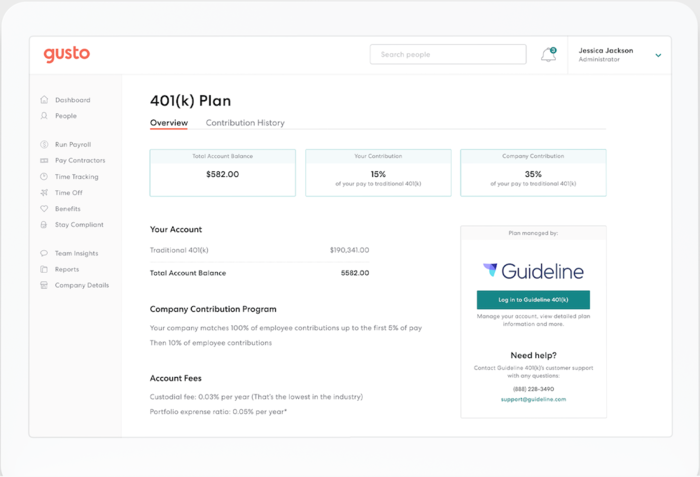
Gusto, $39/month plus $6 per employee
Gusto is great for a first-time payroll software user, or for a seasoned business owner. This payroll software features an autopilot program that runs payroll on its own. Included in all software plans are tax filing, new-hire form filing, PTO tracking, workers compensation administration, W-2 access for employees, and more. Gusto also offers unlimited contractor payments. And Gusto offers the first month free. But, when it eventually becomes time to pay, you’re looking at a starting base price of $39/month plus $6 per employee per month.
Paychex: best for reporting
Paychex, $59/month plus $4 per employee
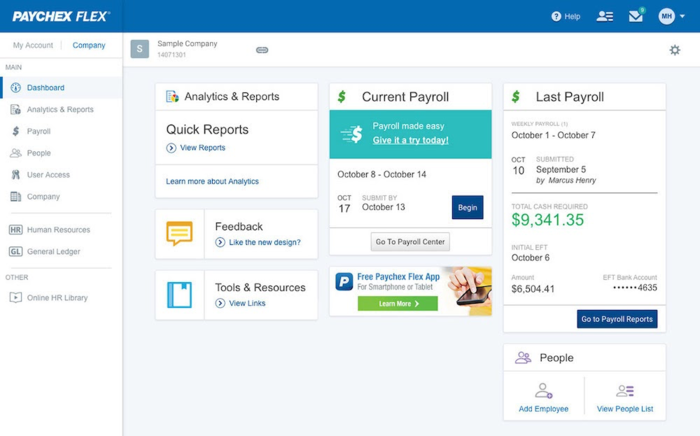
Paychex is a little on the pricey side, coming in with a $59 base price per month, but the employee fee is only $4. Paychex is known for its robust reporting. You can find over 160 reports, as well as a general ledger service offered within the software program. Each Paychex plan also offers automatic tax filing, new-hire state reporting and a financial wellness program. And the best part? Your first three months are comped.
Zenefits: best for benefits administration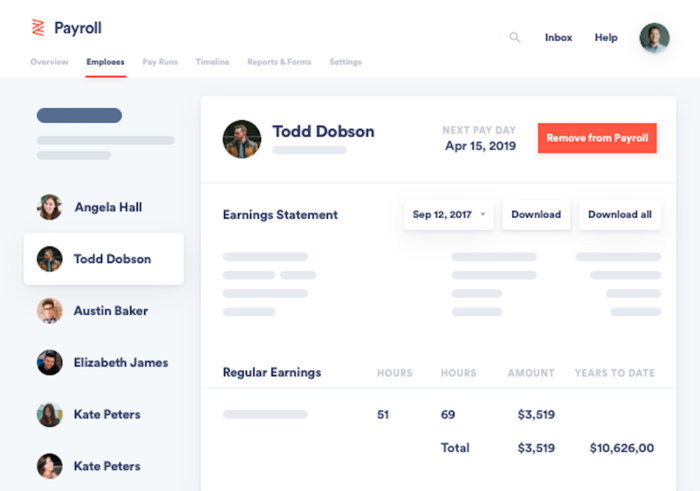
Zenefits, $10/month plus $6 per employee
Late in 2020, Zenefits boldly went where no payroll software had gone before: They introduced online health insurance shopping to their interface. Zenefits now allows for small businesses to shop, compare and select health, dental and vision benefit plans that align with their pricing. This allows businesses to find affordable and accessible health benefits for their employees. For a starting base price of $10 per month plus $6 per employee, Zenefits also covers payroll processing and compliance, contractor payments, time and attendance and employee scheduling.
Patriot Software: best for businesses on a budget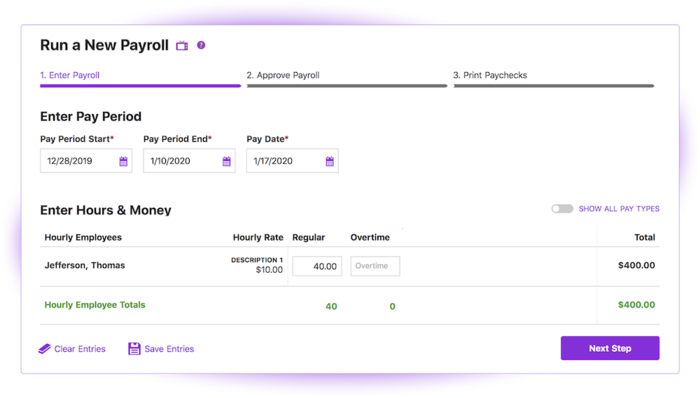
Patriot, $10/month plus $4 per employee
If you’re on a budget, Patriot is the payroll software for you. Patriot’s monthly base prices come in at just $10 per month, plus $4 per employee. This self-service payroll offers affordable add-ons, like HR assistance and time and attendance tracking. Patriot is also mobile-friendly and allows for multiple pay rates.
Remote: best for international employees
Remote, $349/month
In a world where working from home trumps going into the office, you need a payroll software that works wherever you go, and wherever your employees live. Even if it’s overseas. Especially if it’s overseas. Remote is the top payroll software that allows for international employees to get the payment and benefits that stateside employees get, at no additional cost. Remote takes care of local and international employee documents, data, and IP protection, all while ensuring full compliance with relevant legislation. Coming in at $349 per month, Remote may seem pricey, but there isn’t an added fee per employee.
ADP: honorable mention for larger businesses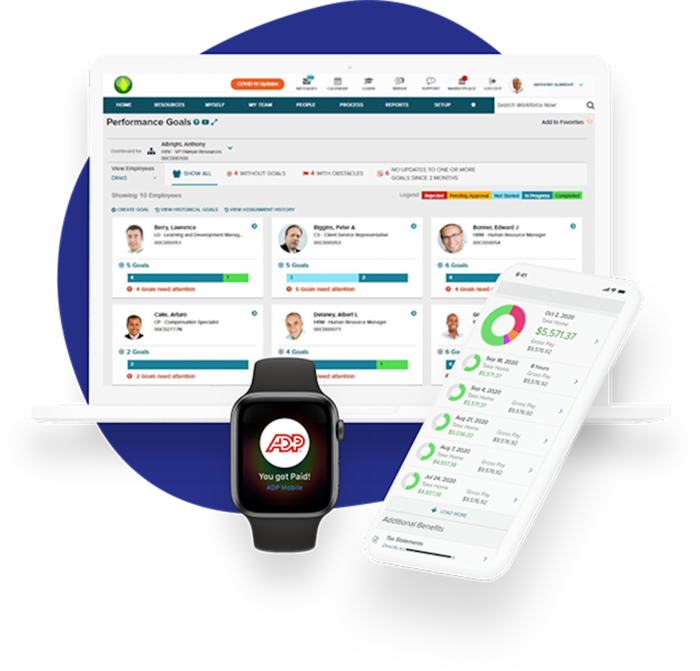
ADP, $59/month plus $4 per person
We’d be remiss if we didn’t include ADP in this list. ADP is perhaps the biggest name in the payroll world. The payroll software offers unlimited payroll runs, has basic HR features in every package and doesn’t penalize if you miss a payment. The software takes care of direct deposit, tax filing, healthcare compliance forms and employee onboarding as well. You can get ADP for a base fee of $59 per month, with $4 per employee per month.
External references
