The 5 Best Stock Video Websites for Footage That Doesn't Look Generic
Stock VideoThe 5 Best Stock Video Websites for Footage That Doesn't Look Generic
Averil Gleason
It’s driving down the freeway or hovering just above the city skyline or watching the grass grow. It’s landscape shots and rain drops cascading down a high-rise window. It’s stock video. And it has the ability to add life, drama, and depth to whatever it is you’re shooting.
But... as much as the right stock footage can add vibrancy to whatever you’re producing, the wrong stock footage can have an opposite effect, making your video look unprofessional and amateur. It can even take the viewer out of the immersive experience you’re trying to create.
So whether it’s a YouTube video, a corporate training course, or even your own short film, you just might want good stock video to complete your story. And we’re here to help. In this article, we’re going to tell you all about stock video: Answer your biggest stock video questions, give you tips on how to properly utilize stock video, and even share the best stock video websites and services we've found.
Now, before you grab your camcorder (or, you know, something people have used for filming in the past two decades), let’s learn more about stock footage.
Answers to the Top Questions about Stock Footage
What is stock video?
Stock videos are short clips that help piece together stories. These professionally-shot clips are typically under a minute long, and can help move the story along without hindering the flow of a video. While most will be things like nature scenes, exterior building shots, or effects, in this day and age, you can find stock clips of almost anything. Stock video clips are creative, supplemental shots that you can intercut with the main footage.
How do I use stock video?
Whether you use iMovie, Adobe Premiere, Final Cut, Avid, or even just your TikTok app, you can easily integrate stock footage into a video you’re creating. Once you’ve downloaded the stock video you need from sites like Videvo or ProVideoFactory, it’s really up to you on where you place your footage in the visual story you’re creating.
Does stock video always have a watermark?
If you use free stock video, there’s a good chance it’ll have a watermark — but if you pay for your stock footage, it almost certainly wont. A watermark is a branded image that appears on photos or videos that discourage unauthorized use. They’re used to protect and claim video footage that hasn’t been sold. So when it comes to using stock video websites, you may come across some sites that have watermarks (so if you pay for the video, they’ll be removed). Sites like Dareful offer thousands of watermark- and royalty-free stock video clips.
Is stock video royalty-free?
Not all stock video is royalty-free, but most will be. You can find stock video footage that is royalty free — you just have to know where to look. Like, here for example. You can find royalty-free footage sites in this article.
There are essentially two types of stock footage: royalty-free and copyrighted. With copyrighted videos, you have to pay a fee for licensing rights. Sites like Filmsupply have copyrighted footage that can be purchased for your videos. Once you’ve purchased the stock footage you need, it’s yours to use however and whenever you want. But if you’re looking for royalty-free videos, we recommend Videezy.
Can I get stock video in 4K?
Yes, stock footage now comes in ultra high-definition resolutions. You will have to pay for most 4K (or 8K and beyond) stock videos, but there are some sites (we recommend Dareful) that provide some 4K clips free of charge [2].
Tips for Using Stock Video Without Looking Generic
Mix stock video and original video
Blending stock footage with your original content is really simple, but we’ve come up with tips to help you make the best video that includes stock content. Make sure that the footage you download matches your original content’s tone and theme. Think about the style of your video before wandering aimlessly across a stock video site with thousands of clips and content. You want to have an idea of the vibe you’re going for so you can search for it and include the best clips that move along your story.
Use professional stock video
Stock footage is a great asset when filling the gaps between scenes of a story. While you can film your own B-roll, the added definition and dimension of professional stock video elevates your story. Plus, not all filmmakers or videographers have access to drones that capture skylines, or can easily access underwater content or action shots. Professional stock videos upgrade the quality of your video without having to work harder to get the B-roll shots you need.
Use original audio whenever possible
Stock videos generally don’t come with sound, so it’s up to you to bridge the gap between your footage and your stock video by way of audio. Having a beautiful scenic view of Malibu between your dinner scene and the following scene would feel misplaced if there was no audio to go along with the video. Once your scenes are clipped together, you can go back in and add the necessary audio, whether it’s a voice over, sound effects, an instrumental song, or the lull of the waves slapping the sand that you record yourself.
Make sure the filming style of the stock footage matches the rest of your video
You need to be precise in your search for stock footage. It’s more than finding the right clip that seamlessly fits between scenes — it’s color correcting, framing and reframing, playing with speed. You can’t make a gritty video about the anniversary of D-Day and include a light and bright stock video of a bee pollinating flowers between scenes. Think about the message you want your story to convey. Find the footage that gets your point across in a consistent manner.
Use stock footage to enhance, not as the main course
You can find stock videos for almost anything on the internet. Whether it’s videos of baby turtles swimming out to sea or fireworks igniting in the sky, there’s probably a video that will go along with the content you’re creating. But you need to remember that you’re creating something that's primarily original, not just a montage of stock footage. Stock videos are meant to work hand-in-hand with your original content. Use the stock footage to move your story in the right direction; don’t use it as your story. It's the seasoning, not the steak.
The 5 Best Stock Video Websites for Great Royalty-Free Footage That Doesn’t Look Generic
Videvo - best for free high-quality stock video to try before you buy
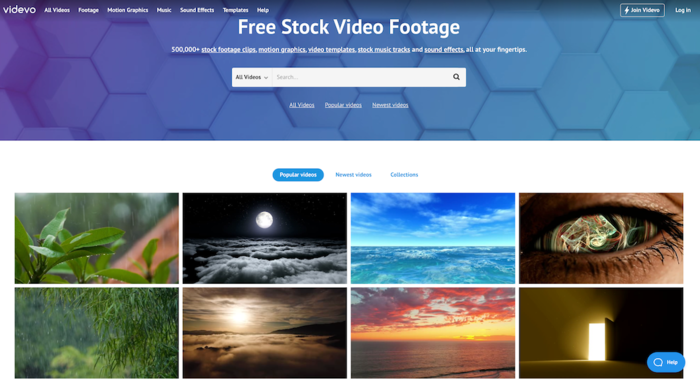
Videvo, from $4.99/month
Videvo offers more than half a million stock videos, motion graphics, video templates, music tracks, and sound effects, thousands of which are free. You have the ability to download and use these videos, clips, and sounds before buying the footage, allowing you to find the perfect pieces of B-roll that fit your story. Join for free, or pay a monthly fee for access to premium video downloads, watermark-free content, royalty-free licensing, no advertisements, and money-back guarantees.
Dareful - best for 4K stock video
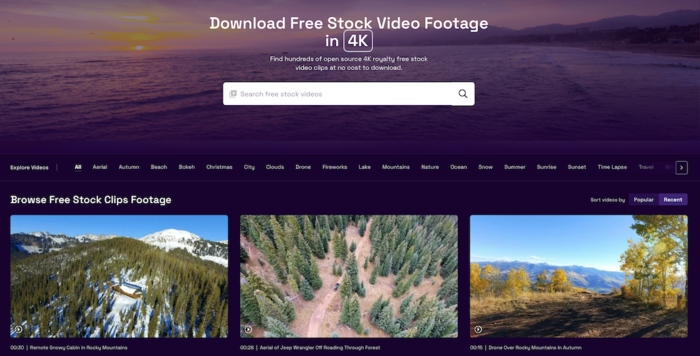
Dareful, free
There’s just something about royalty-free videos in 4K that really gets a videographer going. And Dareful knows that. Dareful provides completely free video clips in 4K that you can download and use for all your editing needs. Choose from hundreds of free videos that don’t use watermarks or require you to pay extra royalties.
Videezy - best for video backgrounds
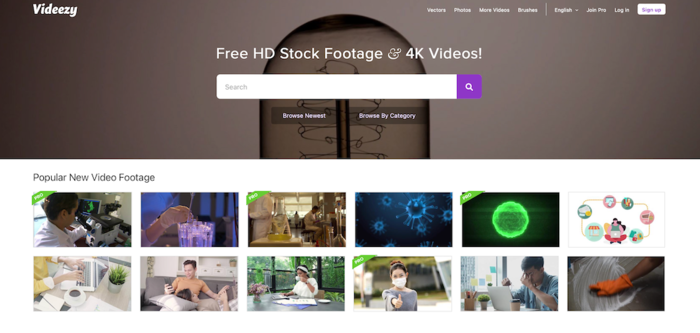
Videezy, from $19/file
Videezy is another great site that offers thousands of free stock videos. Videezy specializes in background videos that work great with green screen scenes. Additionally, Videezy offers after effect templates that can really make your videos pop — whether it’s for a commercial, movie trailer, or short film. While Videezy does offer free videos, you can also join Videezy Pro, giving you access to another library of videos, Adobe Premiere plug-ins, and unlimited digital reproductions.
ProVideoFactory - best for affordable unlimited plans
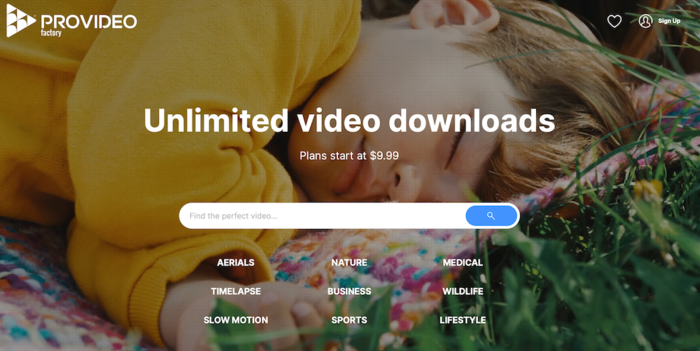
ProVideoFactory, from $9.99
Finding stock footage that fits your needs — and your budget — isn’t always easy. ProVideoFactory wants to help. This stock video site offers unlimited video downloads starting at around $10. Choose from nature, business, sports, medical, wildlife, lifestyle, timelapse, and slow-mo videos that match the theme of the story you’re creating.
Filmsupply - best for stock footage from professional filmmakers
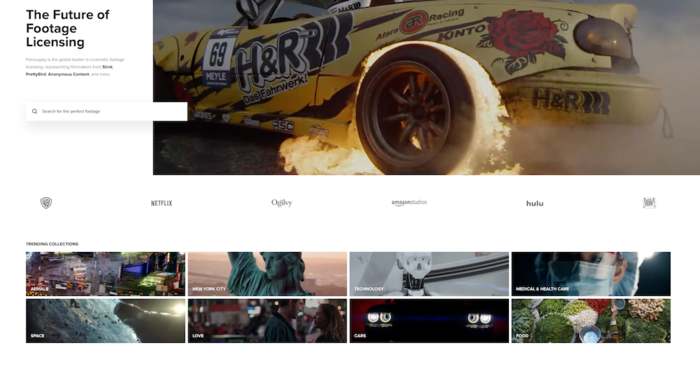
Filmsupply, from $99/clip
Turn your home movie, TikTok, or YouTube video into a cinematic experience. Like, literally. Filmsupply has an extensive library of award-winning footage used in shows you’ve probably watched and movies you can’t get out of your head. Footage comes from real films and only elevates your own original content. The hardest part is choosing among the dozens of collections of stock footage available. Filmsupply clips can be licensed per project, meaning you pick and choose what you need and where it will go, and license the content from there.
External references
